
Adding Internal Notes
Share context with your team inside the chat, without the customer ever seeing it.
An internal note in BizBotify is a private message on a WhatsApp chat that only your team sees. Open the chat, click ⋯ → Add internal note, type it and click Save note. It appears in the conversation in a different colour, marked as a note, and also shows on the contact's To do and History tabs.
How to do it
Open the chat and click ⋯
In the Inbox, click the conversation, then ⋯ at the top.
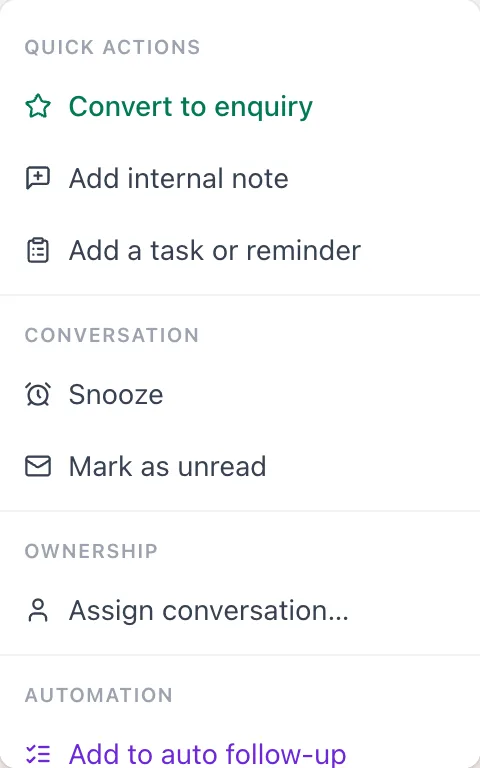
Add the note
Click Add internal note, type what your team needs to know, and click Save note.
Find it later
The note sits in the conversation timeline, marked as a note, and on the contact's To do and History tabs.
Frequently asked questions
Can the customer see internal notes?
No. Notes are never sent on WhatsApp; only your team sees them.
Where else do notes show up?
On the contact's To do and History tabs, so the context stays with the customer.
Are internal notes sent to WhatsApp?
No. Notes stay inside BizBotify, so they never reach the customer and are not charged as messages.
What is the difference between a note and a task?
A note records information. A task has a due date and an owner and appears in their My Day list.